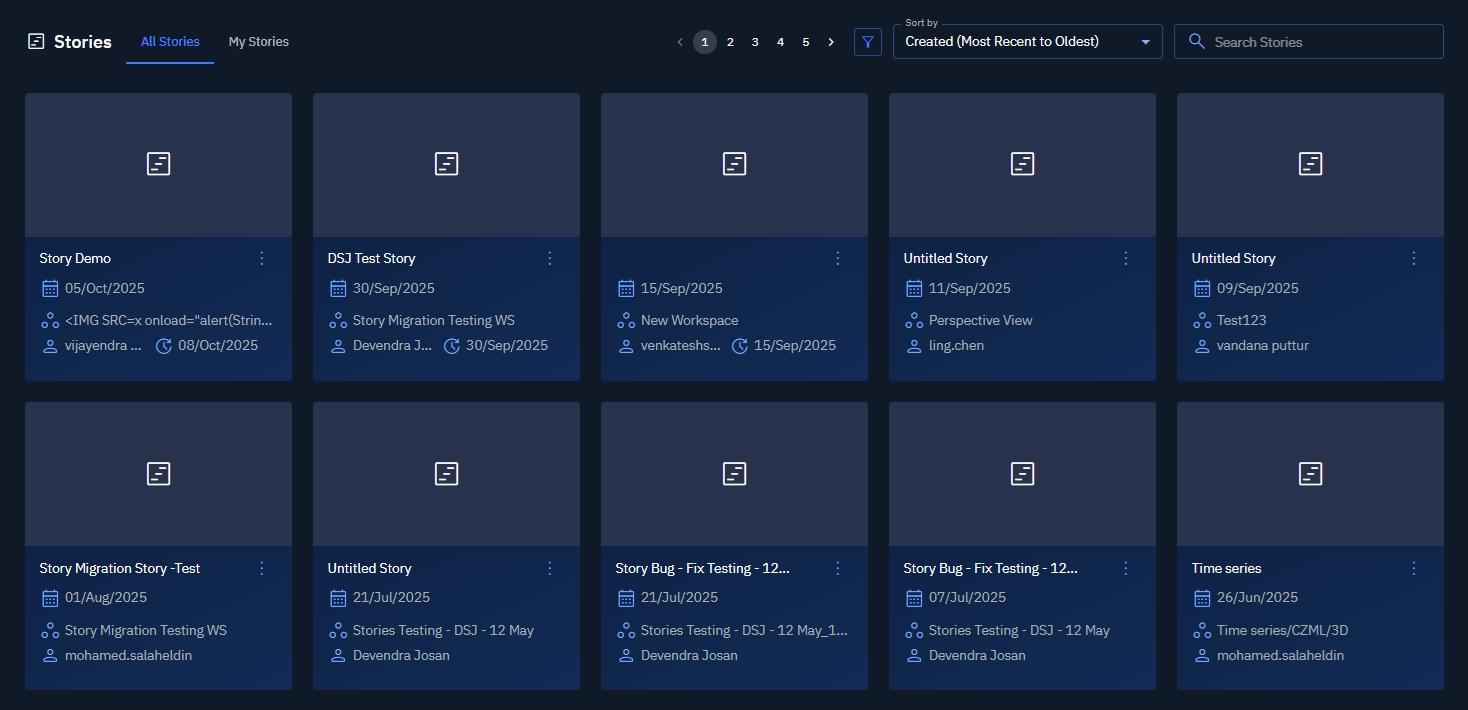
Overview: Stories
The Stories module is a view-first workspace where you can browse stories created by you and other users in your organization.
The Stories Dashboard displays the following tabs:
-
All Stories — Use it to view stories created by your team members within your organization.
-
My Stories — Use it to view stories that you created.
From the Stories Dashboard you can, based on the permissions you have, you can do the following:
-
Publish your own stories to the Marketplace
-
Edit your own stories and team members stories
-
Delete your own stories your own stories and team members stories
Key Features
- Tabbed Sashboard — Quickly switch between the All Stories and My Stories tabs.
- Viewing Stories — Open a story to review its content.
- Search a Story — Find stories by name or keyword.
- Sorting a Story — Sort by creator, created/updated dates, and A–Z/Z–A.
- Publishing a Story — Publish your own stories to the Marketplace.
- Editing and Deleting a Story — Update or remove stories if you have the required permissions.
When to Use the Stories Module
Use the Stories module when you need to:
-
Search and review your and team members stories.
-
Publish a story to the Marketplace (your own stories only).
-
View and organize the stories by username or created date
Accessing Stories
-
Login to the platform.
-
Click the Collaborate module, and then click the Stories module.
The Stories Dashboard is displayed.

- On the Stories Dashboard, select All Stories tab or My Stories tab to get started.