Overview
The Organizations sub-module is your central hub for creating and managing organizations within the platform.
Accessing Organization sub-module
In this section, you will get to know how to access the Organizations sub-module.
To access the Organizations sub-module, do the following:
-
Login to the platform.
-
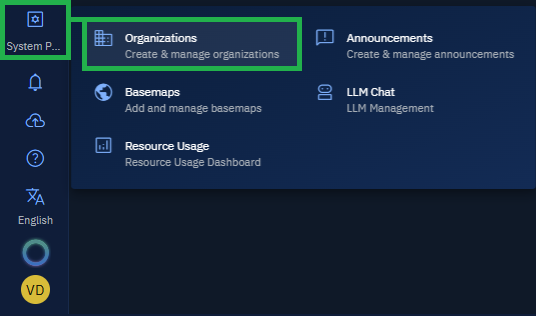
Click the System Panel and then click the Organizations sub-module.
The Organizations page is displayed.